> For the complete documentation index, see [llms.txt](https://oranthemes.gitbook.io/edge-theme/llms.txt). Markdown versions of documentation pages are available by appending `.md` to page URLs; this page is available as [Markdown](https://oranthemes.gitbook.io/edge-theme/collection-list-tabs.md).
# Collection list tabs
 {% hint style="success" %}
**Steps:**
1. In the theme editor **(Customize)**, click **Add section.**
2. Locate **Collection list tabs**
3. Make necessary changes. > **Save.**
{% endhint %}
## General Settings
{% hint style="success" %}
**Steps:**
1. In the theme editor **(Customize)**, click **Add section.**
2. Locate **Collection list tabs**
3. Make necessary changes. > **Save.**
{% endhint %}
## General Settings
 * **Width section** ⇒ Boxed / Wide / Full
* **Tabs type** ⇒ tabs with image / tabs with background
* **Heading section**
### Tabs background
* **Tabs heading size**
* **Alignment vertical**
* **Show collection count**
### Image size
* Image ratio
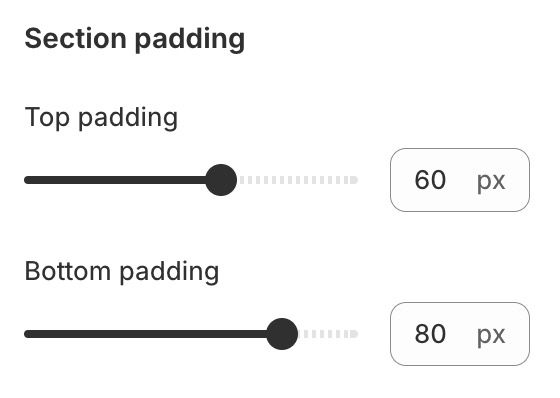
### Section padding
* **Width section** ⇒ Boxed / Wide / Full
* **Tabs type** ⇒ tabs with image / tabs with background
* **Heading section**
### Tabs background
* **Tabs heading size**
* **Alignment vertical**
* **Show collection count**
### Image size
* Image ratio
### Section padding
 ## Block settings
{% hint style="success" %}
Steps:
1. Locate **Collection list tabs**
2. **Add Collection tab**
3. Make necessary changes. > **Save.**
{% endhint %}
## Block settings
{% hint style="success" %}
Steps:
1. Locate **Collection list tabs**
2. **Add Collection tab**
3. Make necessary changes. > **Save.**
{% endhint %}
