# Shoppable video

<figure><img src="https://2841038207-files.gitbook.io/~/files/v0/b/gitbook-x-prod.appspot.com/o/spaces%2FIGTidUfSjAqopf8pRRmN%2Fuploads%2FiSdUalSHKzrHGsNE9ZjC%2F2025-04-05_01-03-15.jpg?alt=media&#x26;token=cc997303-7436-4750-9bb0-d9495ac75931" alt=""><figcaption></figcaption></figure>

{% hint style="success" %}
**Steps:**&#x20;

1. In the theme editor **(Customize)**, click **Add section.**
2. Locate **Shoppable video**
3. Make necessary changes. > **Save.**
   {% endhint %}

## General Settings

<figure><img src="https://2841038207-files.gitbook.io/~/files/v0/b/gitbook-x-prod.appspot.com/o/spaces%2FIGTidUfSjAqopf8pRRmN%2Fuploads%2FTPetI9QcXts54cDWvB8V%2F2025-04-05_01-04-46.jpg?alt=media&#x26;token=82a7c31a-9b48-4e72-bf03-5d689fc64c1d" alt=""><figcaption></figcaption></figure>

* **Width** - With of this section 3 options : Boxed / Wide / Full
* **Subheading**&#x20;
* **Heading** - Heading of this section
* **Heading size** - From Heading 1 to Heading 6
* **Description** - Description of this section
* **Layout** - *Horizontal / Vertical*

<figure><img src="https://2841038207-files.gitbook.io/~/files/v0/b/gitbook-x-prod.appspot.com/o/spaces%2FIGTidUfSjAqopf8pRRmN%2Fuploads%2Fm6Tmi6I77PUP71J1Kcm4%2F2025-04-05_01-05-28.jpg?alt=media&#x26;token=bb221e17-f7b8-4cc1-88bd-75917ec98a17" alt=""><figcaption></figcaption></figure>

### Card settings

* Card style
* Show play/pause button
* Show mute/unmute button
* Show progress bar
* Play all videos
* Same height videos
* Ratio videos
* Width videos

### Carousel settings

* Show arrows
* Gap (desktop)
* Gap (mobile)

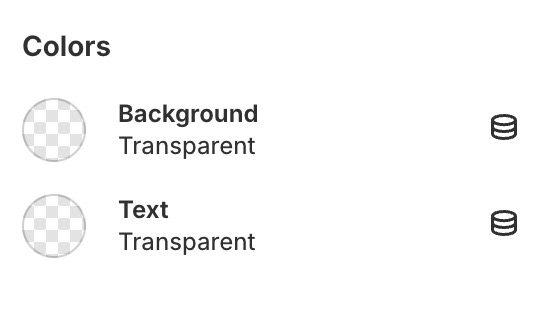
### Colors

<figure><img src="https://content.gitbook.com/content/IGTidUfSjAqopf8pRRmN/blobs/UGk0oLMDJ9FIGhG6FfAC/color-c.jpg" alt="" width="280"><figcaption></figcaption></figure>

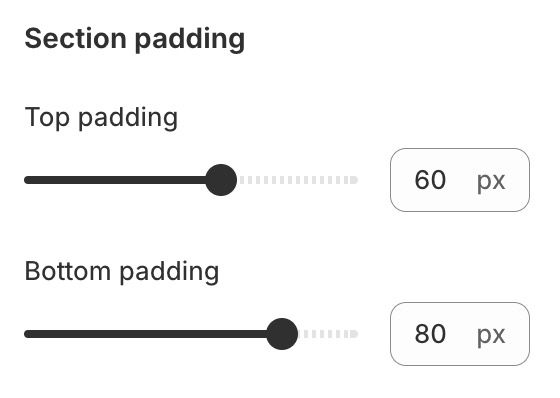
### Section padding

<figure><img src="https://content.gitbook.com/content/IGTidUfSjAqopf8pRRmN/blobs/n2xL6bjz1tYl76g1pebr/padding-c.jpg" alt="" width="280"><figcaption></figcaption></figure>

## Block settings

{% hint style="success" %}
Steps:

1. Locate **Shoppable video**
2. **Add Video**
3. Make necessary changes. > **Save.**
   {% endhint %}

<figure><img src="https://2841038207-files.gitbook.io/~/files/v0/b/gitbook-x-prod.appspot.com/o/spaces%2FIGTidUfSjAqopf8pRRmN%2Fuploads%2F1nTqYjMDhG7DFMNQ6TZO%2F2025-04-05_01-08-59.jpg?alt=media&#x26;token=f79cbd2a-f727-4dbc-8543-9baae632b6a6" alt=""><figcaption></figcaption></figure>