> For the complete documentation index, see [llms.txt](https://oranthemes.gitbook.io/edge-theme/llms.txt). Markdown versions of documentation pages are available by appending `.md` to page URLs; this page is available as [Markdown](https://oranthemes.gitbook.io/edge-theme/theme-sections/image-with-text.md).
# Image with text
{% hint style="success" %}
**Steps:**
1. In the theme editor **(Customize)**, click **Add section.**
2. Locate **Image with text.**
3. Make necessary changes. > **Save.**
{% endhint %}
## General Settings
* **Width** - With of this section 3 options : Boxed / Wide / Full
* **First Image -** 1340 **x 1340 .jpg recommended.**
* **First media size**
* **Use video instead of image**
* **Show second image**
* **Second image 1340 x 1340 .jpg recommended.**
* **Position second image**
* **Second image size**
* **Media width -** Image column width
### Video
* **Video URL** - Accepts Vimeo or YouTube links
* **Shopify-hosted video** - Overrides the Video URL setting.
* **Poster image** - 1340 x 1340 .jpg recommended. If image blank, Shopify-hosted video will use the preview image.
* **Autoplay** - Video will be muted
* **Display video controls**
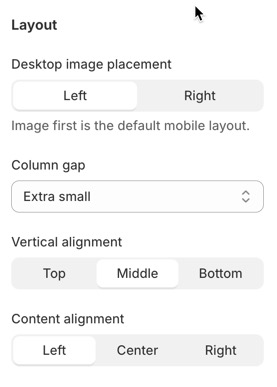
### Layout
* Desktop image placement - Left / Right (Image first is the default mobile layout.)
* Column gap
* Vertical alignment - Top / Middle / Bottom
* Content alignment - Left / Center / Right
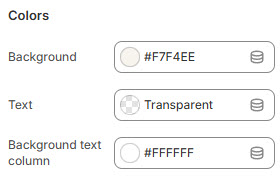
### Colors
* **Background**
* **Text color**
* **Background text column**
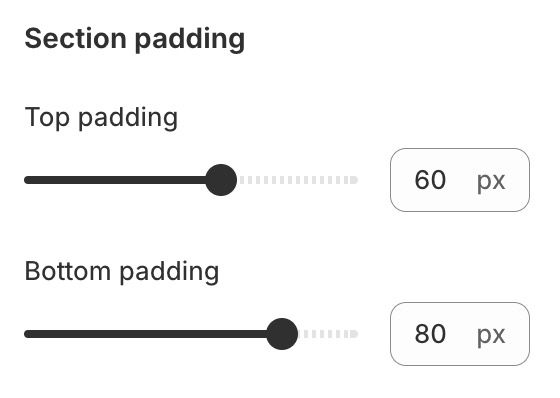
### Section padding
* **Top padding**
* **Bottom padding**
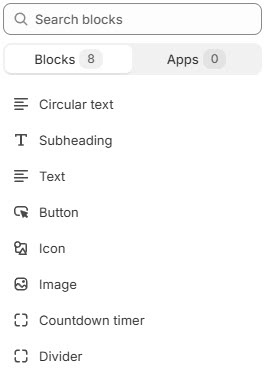
## **Block settings**
{% hint style="success" %}
Steps:
1. Locate **Image with text**
2. **Add Block. >** Select block you want
3. Make necessary changes. > **Save.**
{% endhint %}